
The Future of Cooking: Exploring Smart Innovations for the Everyday Home Chef
Welcome to the era of the connected kitchen, where smart appliances don’t just make cooking easier — they actively work together to create a smoother, faster, and more enjoyable home-cooking experience. Whether you're preparing weeknight meals or trying to level up your culinary game, syncing your devices can streamline your workflow and eliminate the stress of multitasking. In this guide, we’ll explore what a connected kitchen really looks like, how to link your appliances, and how to use smart automation to create effortless cooking routines.
12/5/20252 min read
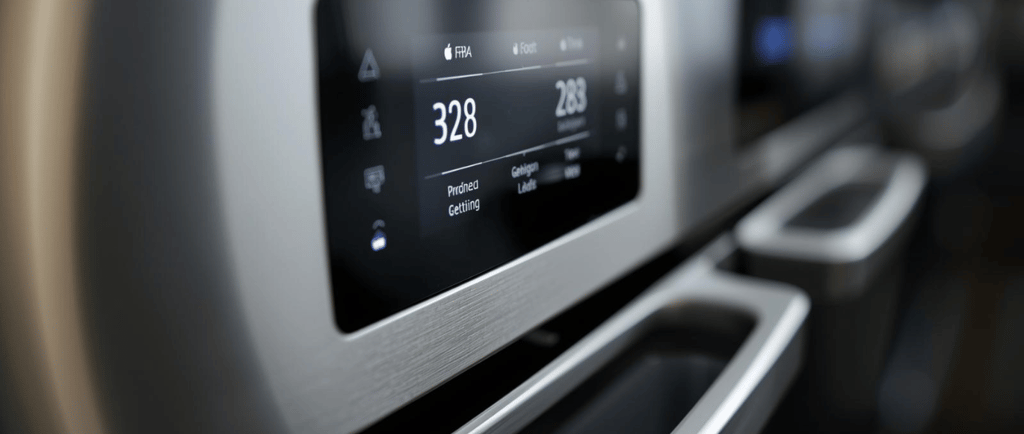
🔗 What Is a Connected Kitchen?
A connected kitchen is a setup where smart appliances communicate with each other — or with apps on your phone — to help coordinate your cooking tasks.
Think of it like having a digital sous-chef that:
Adjusts temperatures automatically
Sends reminders and alerts
Syncs timers across devices
Tracks ingredients
Suggests recipes based on what you already have
It’s not sci-fi — it’s real tech that anyone can use at home.
🧠 Why Syncing Your Smart Kitchen Matters
1. Better Timing, Fewer Mistakes
Ever burned veggies while prepping the main dish?
A connected kitchen lets you sync timers so everything finishes at the right moment.
2. Automated Adjustments
Some devices adapt heat, cook time, or fan settings based on what another appliance is doing.
For example:
Your smart oven may lower the temp when the air fryer finishes early, ensuring nothing gets cold.
3. Seamless Meal Planning
Apps like SmartThings, HomeKit, or appliance-specific systems can sync:
Grocery lists
Recipe steps
Ingredient tracking
Cooking notifications
They keep everything organized — so you don’t have to.
4. Multi-Device Efficiency
Rather than juggling stovetop, oven, and pressure cooker at once, you can let the devices coordinate automatically.
📱 How to Sync Your Smart Appliances
You don’t need to be tech-savvy — just follow these basics:
1. Choose a Central App or Platform
Most modern smart kitchens sync through:
Samsung SmartThings
Google Home
Apple HomeKit
Alexa Smart Home Dashboard
Brand apps (GE SmartHQ, LG ThinQ, Bosch Home Connect)
Pick the one that fits your devices.
2. Add Each Appliance to the App
Usually involves:
Connecting to Wi-Fi
Scanning a QR code
Confirming the appliance in the app
Once connected, your devices can communicate.
3. Enable Cross-Device Features
Many apps include automation like:
"Start the oven when the sous-vide cycle completes"
"Turn on the vent hood when the cooktop heats up"
"Send phone alerts when the fridge detects low ingredients"
Enable the features that match your cooking routine.
🍳 Examples of Connected-Cooking in Action
🎯 Smart Oven + App-Based Recipe Guidance
The app walks you through prep, then sends the recipe directly to the oven — setting:
Temperature
Cook mode
Timer
Fan level
You just place the food inside.
🎯 Air Fryer + Cooktop Syncing
When the smart cooktop senses boiling water finishing early, it notifies the air fryer to begin the final crisping cycle. Everything aligns.
🎯 Smart Pressure Cooker + Fridge Inventory
Your fridge notices you’re low on chicken stock →
It triggers your pressure cooker app to suggest recipes that don’t require it.
🤖 Automations to Make Your Life Easier
Try setting up routines like:
“Dinner Mode”
Turns on the oven, preheats the air fryer, starts a pot of water on the smart cooktop, and plays your cooking playlist.“Meal Prep Sunday”
Starts your rice cooker at 9am, pressure cooker at 9:30, and oven at 10.“Keep Warm Syncing”
When one appliance finishes early, the others adjust to keep everything warm without drying out.
🥗 The Future of Your Kitchen Is Connected
You don’t need a futuristic home to enjoy a connected kitchen.
Even a few affordable smart appliances can dramatically upgrade how you cook, plan meals, and manage your kitchen.
At KitchenComforts.io, we believe smart cooking should be:
Easy
Effortless
Accessible to everyone
If you’re ready to bring more automation and convenience into your kitchen, a connected setup is the perfect next step.